
VERIFIED X VISUAL PROMPT
🐾 AI Filter Vol.04 Storybook Pets
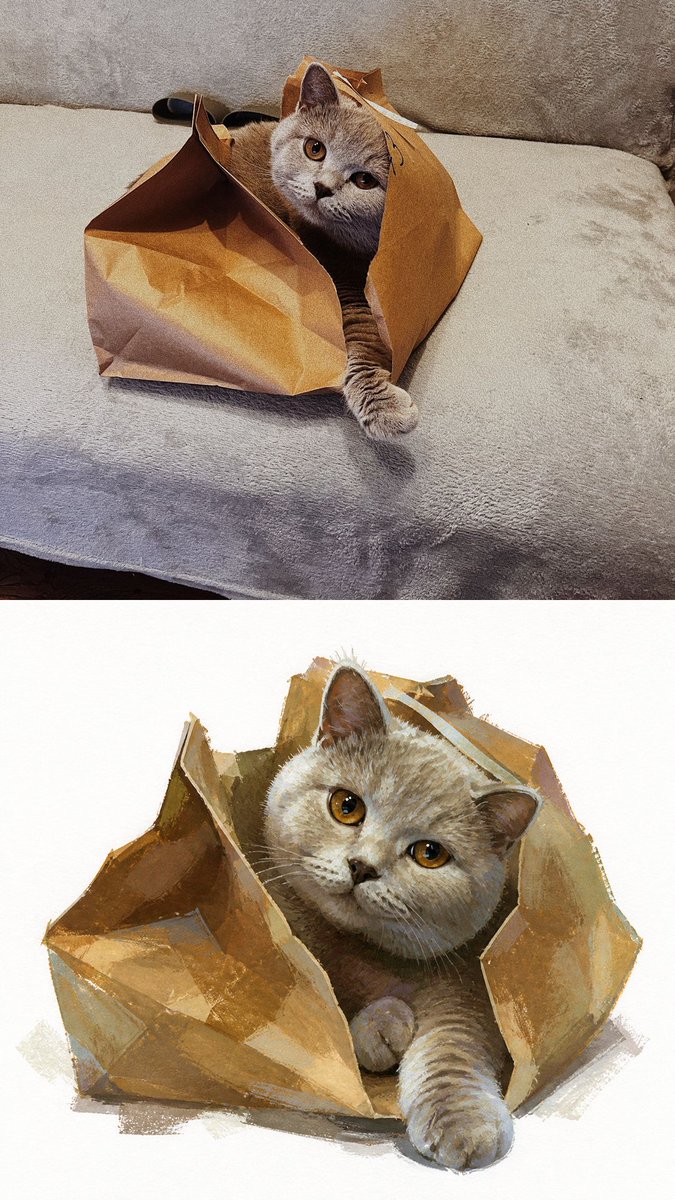
Creator: @MrLarus
Model: Not specified
用这个效果生成 View original X source ↗原始提示词
Pet Portrait AI Filter Prompt

Use the uploaded pet photo as the source. Create one vertical 9:16 comparison image:
Top 50% = the original pet photo
Bottom 50% = the AI-filtered storybook portrait

Keep the top image faithful to the uploaded photo. Do not repaint, stylize, beautify, or redesign it. Only crop when necessary to fit the layout.

For the filtered portrait, keep the pet clearly recognizable. Preserve its species, breed traits, coat colors, markings, facial features, expression, and the core action or moment captured in the original photo.

Do not simply repaint the photo. Reimagine the pet as a charming hand-painted storybook character based on what is actually happening in the image.

Use the pet’s real activity, expression, clothing, pose direction, and nearby objects as the storytelling cues. Preserve the original little story — for example running with a ball, hiding inside a paper bag, yawning, getting soaked, chewing a plant, or wearing a funny accessory.

You may add a few small playful details only when they naturally extend the original moment. Do not invent unrelated costumes, fantasy props, or completely new scenes.

Use cute, slightly exaggerated character proportions where appropriate: a somewhat larger head, expressive eyes, compact body, and small paws. Keep the pet’s original expression and personality more important than making every character look equally cute.

Render the result with traditional watercolor and opaque gouache on warm white textured paper. Use visible brushstrokes, layered pigment, dry-brush texture, slightly rough edges, and handcrafted color variation. Avoid smooth digital gradients, glossy 3D rendering, anime styling, or photorealistic painting.

Keep the lower portrait clean and visually focused, with generous warm-white negative space around the character. Retain only the props or environmental details needed to tell the pet’s story.

The top and bottom sections must each occupy exactly 50% of the final image.

Do not add text, labels, logos, watermarks, borders, inset images, or decorative frames.