
VERIFIED X VISUAL PROMPT
AI Filter Vol.04: Pastel Wuhan
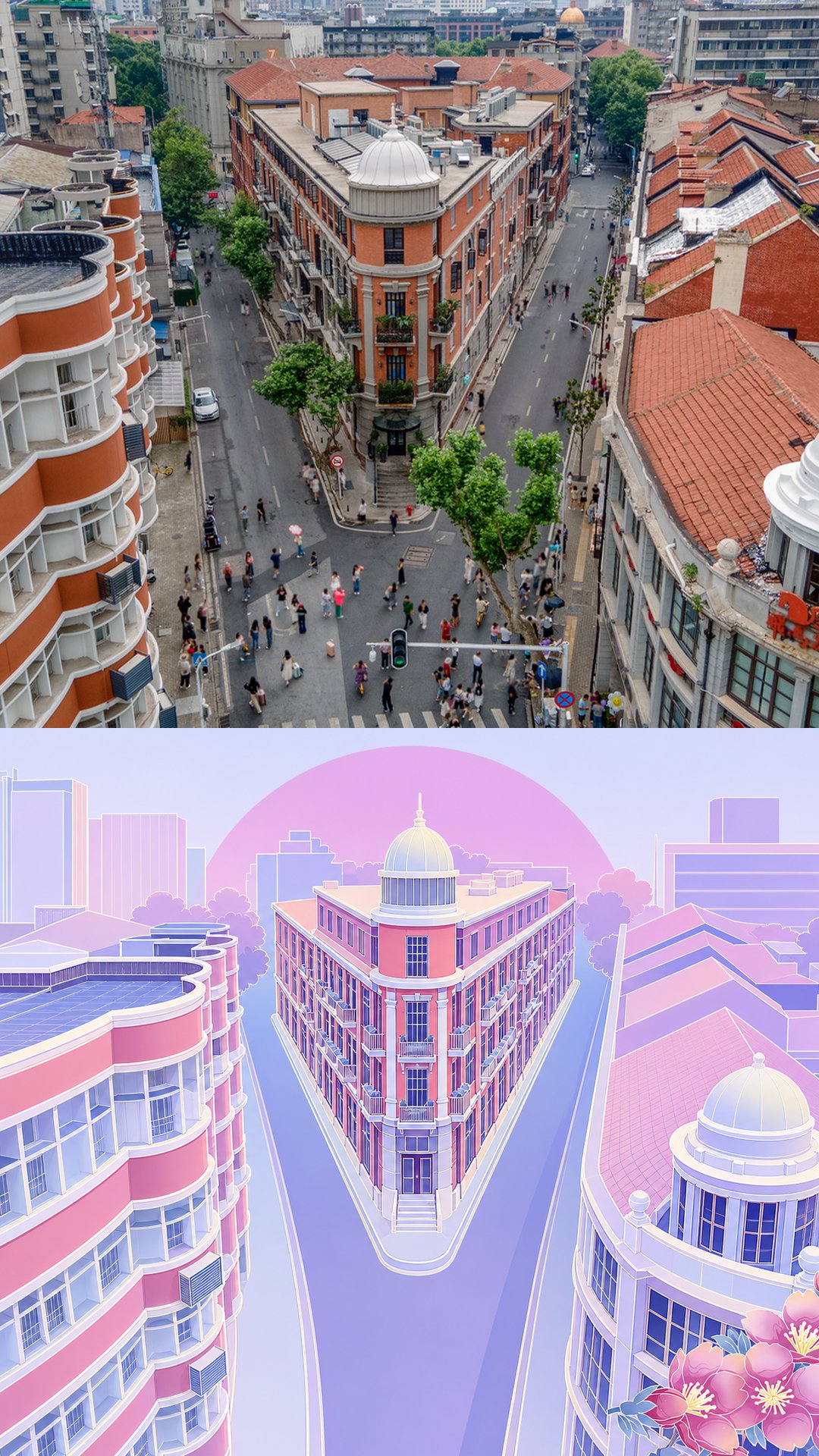
Creator: @MrLarus
Model: Not specified
用这个效果生成 View original X source ↗原始提示词
Use the uploaded real city photo as the source.

Preserve the landmark’s identity, silhouette, architectural proportions, defining details, camera angle, perspective, and subject placement. The result must remain clearly recognizable as the same location.

Transform the scene into a refined pastel city-landmark vector poster. Rebuild the architecture with clean geometric shapes, crisp ivory outlines, simplified details, soft gradients, and subtle luminous highlights.

Use a powder-blue, pink, lilac, violet, and ice-blue palette with small warm-gold accents. Place a large soft pink-lilac circular sun behind the landmark and add a small cluster of elegant cherry blossoms in one lower corner.

Remove distracting people, cars, signs, wires, and unrelated background clutter. Keep the composition spacious and let the landmark remain the main focus.

The transformation should look fully redesigned as an editorial vector travel poster, not like a light color filter applied to the photograph.

Output one 1080 × 1920 vertical comparison image:
top 50% = original photo
bottom 50% = AI-filtered poster version

Do not add titles, letters, labels, logos, signatures, watermarks, frames, or borders. Avoid photorealism, watercolor, oil painting, heavy texture, cyberpunk neon, and generic replacement architecture.